
【终于解决了】开始菜单丢失Anaconda Prompt快捷键
·
网上很多小伙伴都说

然而我并没有……
还有小伙伴说

当然我也没有……
又有小伙伴建议

贴一下命令
conda update menuinst
conda install -f console_shortcut ipython ipython-notebook ipython-qtconsole launcher spyder
然后我的界面就是介个亚子

开始解决Anaconda出现CondaHTTPError: HTTP 000 CONNECTION FAILED for url这个报错,链接里的方案亲测可用。
附一下解决方案
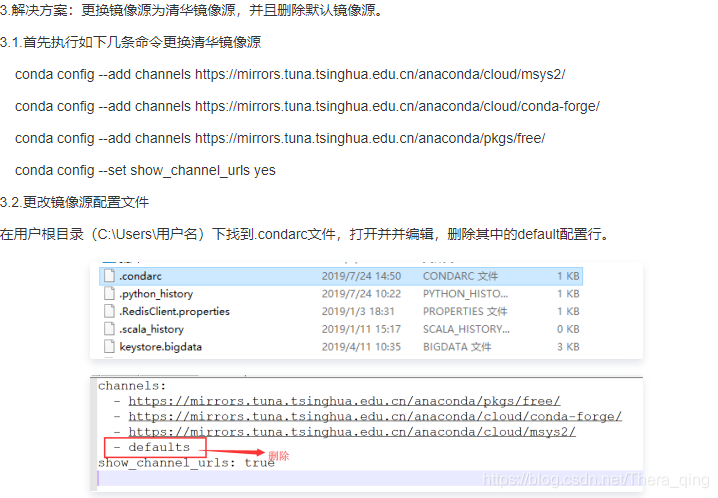
命令如下,方便大家复制:
conda config --add channels https://mirrors.tuna.tsinghua.edu.cn/anaconda/cloud/msys2/
conda config --add channels https://mirrors.tuna.tsinghua.edu.cn/anaconda/cloud/conda-forge/
conda config --add channels https://mirrors.tuna.tsinghua.edu.cn/anaconda/pkgs/free/
conda config --set show_channel_urls yes
解决完这个问题之后输入以下三个命令
conda update menuinst
conda install -f console_shortcut ipython ipython-notebook ipython-qtconsole launcher spyder
conda install console_shortcut
完事!!!
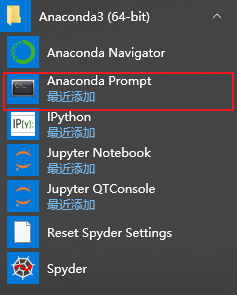
终于等到你~
如果弄完之后除了Prompt,其他快捷键都失效了,参考下一篇博客
更多推荐



 0
0 0
0- 0


 已为社区贡献4条内容

所有评论(0)