
vscode latex编辑器配置
·
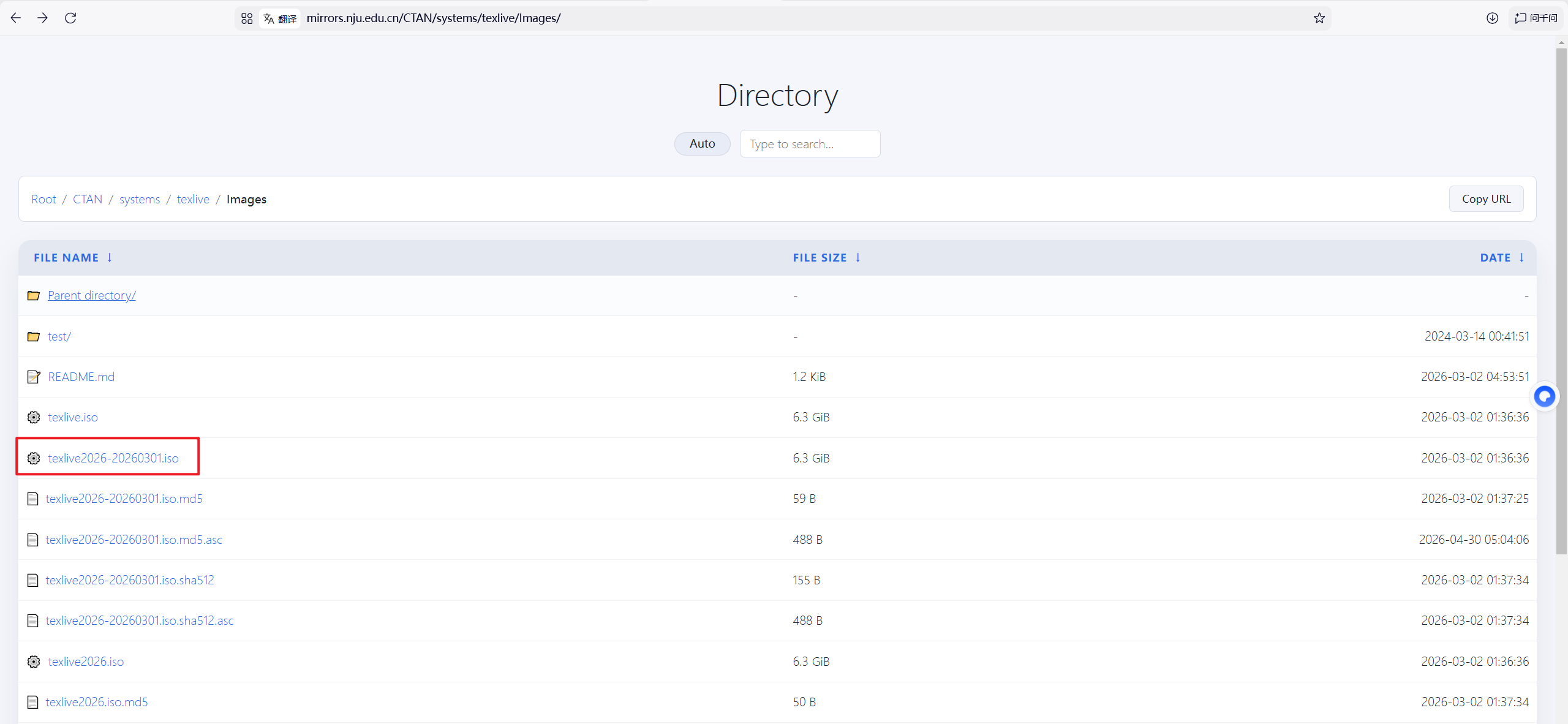
1、安装Tex Live
下载地址
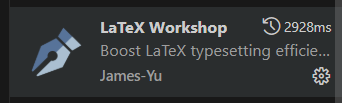
 2、vscode安装插件
3、json配置
ctrl+shift+p
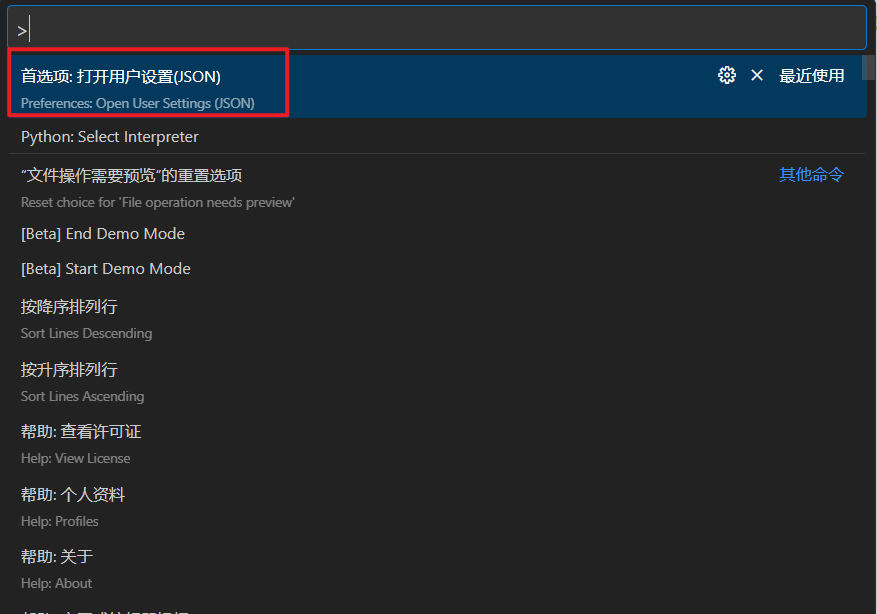 输入以下内容
`{
    "python.languageServer": "Default",
    "terminal.integrated.profiles.windows": {
        "PowerShell": {
            "source": "PowerShell",
            "icon": "terminal-powershell"
        },
        "Command Prompt": {
            "path": [
                "${env:windir}\\Sysnative\\cmd.exe",
                "${env:windir}\\System32\\cmd.exe"
            ],
            "args": [],
            "icon": {
                "id": "terminal-cmd"
            }
        },
        "Git Bash": {
            "source": "Git Bash",
            "icon": "terminal-git-bash"
        },
        "Anaconda PowerShell": {
            "path": "${env:windir}\\System32\\WindowsPowerShell\\v1.0\\powershell.exe",
            "args": [
                "-ExecutionPolicy",
                "ByPass",
                "-NoExit",
                "-Command",
                "& 'C:\\ProgramData\\Anaconda3\\shell\\condabin\\conda-hook.ps1' ; conda activate 'C:\\ProgramData\\Anaconda3'"
            ],
            "icon": "terminal-powershell"
        }
    },
    "terminal.integrated.defaultProfile.windows": "Anaconda PowerShell",
    // 设置是否自动编译
    "latex-workshop.latex.autoBuild.run": "never",
    // 右键菜单
    "latex-workshop.showContextMenu": true,
    // 从使用的包中自动补全命令和环境
    "latex-workshop.intellisense.package.enabled": true,
    // 编译出错时设置是否弹出气泡设置
    "latex-workshop.message.error.show": false,
    "latex-workshop.message.warning.show": false,
    // 编译工具和命令
    "latex-workshop.latex.outDir": "./build",
    "latex-workshop.latex.tools": [
        {
            "name": "xelatex",
            "command": "xelatex",
            "args": [
                "-synctex=1",
                "-interaction=nonstopmode",
                "-file-line-error",
                "%DOCFILE%"
            ]
        },
        {
            "name": "pdflatex",
            "command": "pdflatex",
            "args": [
                "-synctex=1",
                "-interaction=nonstopmode",
                "-file-line-error",
                "%DOCFILE%"
            ]
        },
        {
            "name": "latexmk",
            "command": "latexmk",
            "args": [
                "-synctex=1",
                "-interaction=nonstopmode",
                "-file-line-error",
                "-pdf",
                // "-outdir=%OUTDIR%/",
                "-outdir=./build",
                "%DOCFILE%"
            ]
        },
        {
            "name": "bibtex",
            "command": "bibtex",
            "args": [
                "%DOCFILE%"
            ]
        }
    ],
    // 用于配置编译链
    "latex-workshop.latex.recipes": [
        {
            "name": "XeLaTeX",
            "tools": [
                "xelatex"
            ]
        },
        {
            "name": "XeLaTeX*2",
            "tools": [
                "xelatex",
                "xelatex"
            ]
        },
        {
            "name": "PDFLaTeX",
            "tools": [
                "pdflatex"
            ]
        },
        {
            "name": "PDFLaTeX*2",
            "tools": [
                "pdflatex",
                "pdflatex"
            ]
        },
        {
            "name": "BibTeX",
            "tools": [
                "bibtex"
            ]
        },
        {
            "name": "LaTeXmk",
            "tools": [
                "latexmk"
            ]
        },
        {
            "name": "xelatex -> bibtex -> xelatex*2",
            "tools": [
                "xelatex",
                "bibtex",
                "xelatex",
                "xelatex"
            ]
        },
        {
            "name": "pdflatex -> bibtex -> pdflatex*2",
            "tools": [
                "pdflatex",
                "bibtex",
                "pdflatex",
                "pdflatex"
            ]
        }
    ],
    // 文件清理。此属性必须是字符串数组
    "latex-workshop.latex.clean.fileTypes": [
        //"*.aux",
        "*.bbl",
        "*.blg",
        "*.idx",
        "*.ind",
        "*.lof",
        "*.lot",
        //"*.out",
        "*.toc",
        "*.acn",
        "*.acr",
        "*.alg",
        "*.glg",
        "*.glo",
        "*.gls",
        "*.ist",
        "*.fls",
        "*.log",
        "*.fdb_latexmk"
    ],
    // 设置为onFaild 在构建失败后清除辅助文件
    "latex-workshop.latex.autoClean.run": "onFailed",
    // 使用上次的recipe编译组合
    "latex-workshop.latex.recipe.default": "lastUsed",
    // 用于反向同步的内部查看器的键绑定。ctrl/cmd +点击(默认)或双击
    "latex-workshop.view.pdf.internal.synctex.keybinding": "double-click",
    "latex-workshop.view.pdf.viewer": "tab"
    //自动换行
    "editor.wordWrap": "on",
}`
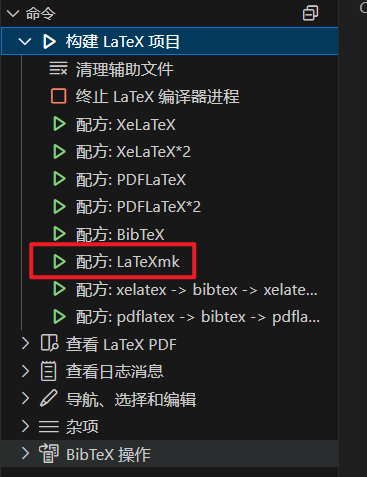
4、编译时自测LaTeXmk最好用
更多推荐
 0
0 0
0- 0


 已为社区贡献2条内容

所有评论(0)