
ubuntu22安装moveit2【humble】
·
成功截图


=========================================================
1、先用鱼香脚本安装ROS2----humble
wget http://fishros.com/install -O fishros && . fishros
2、安装watt加速器
- 下载安装包
wget https://gitee.com/rmbgame/SteamTools/releases/download/3.0.0-rc.3/Steam%20%20_v3.0.0-rc.3_linux_x64.tgz
- 解压到/opt/steam++
sudo mkdir /opt/steam++
sudo chown xiaoming:xiaoming /opt/steam++/
tar -zxvf Steam++_v3.0.0-rc.15_linux_x64.tgz -C /opt/steam++/


3.启动steam++
cd /opt/steam++
./Steam++.sh
4、勾选github

5、点击start routing,会有报错,会让你安装相关环境


6、执行安装命令
./environment_check.sh
7、第二次点击会有两次授权

8、授权之后会弹出一个网页[证书什么的先不用管],然后是告诉你/etc/hosts没有权限,根据网页提示,执行
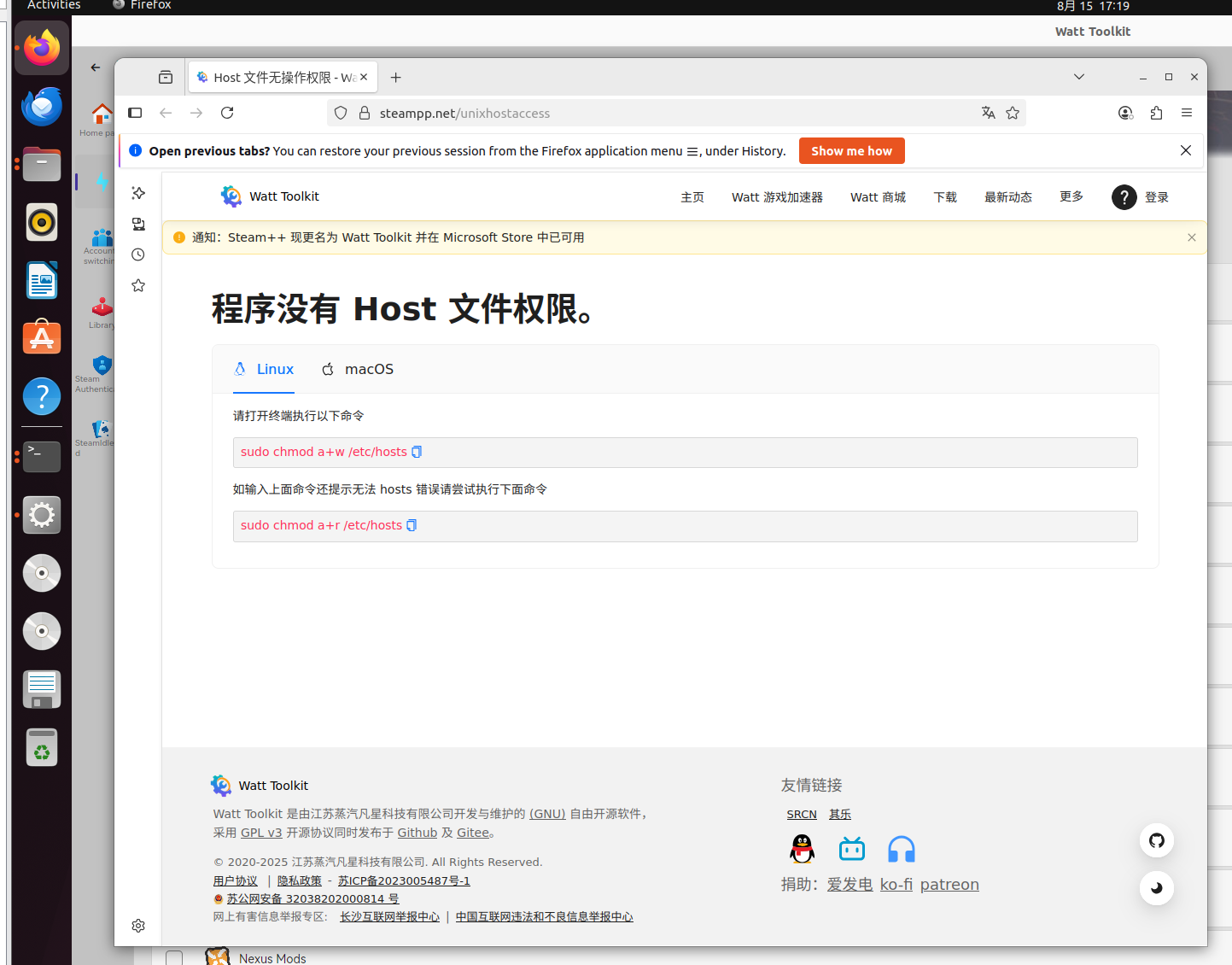
sudo chmod a+w /etc/hosts9、点击start rounting就可以用了。
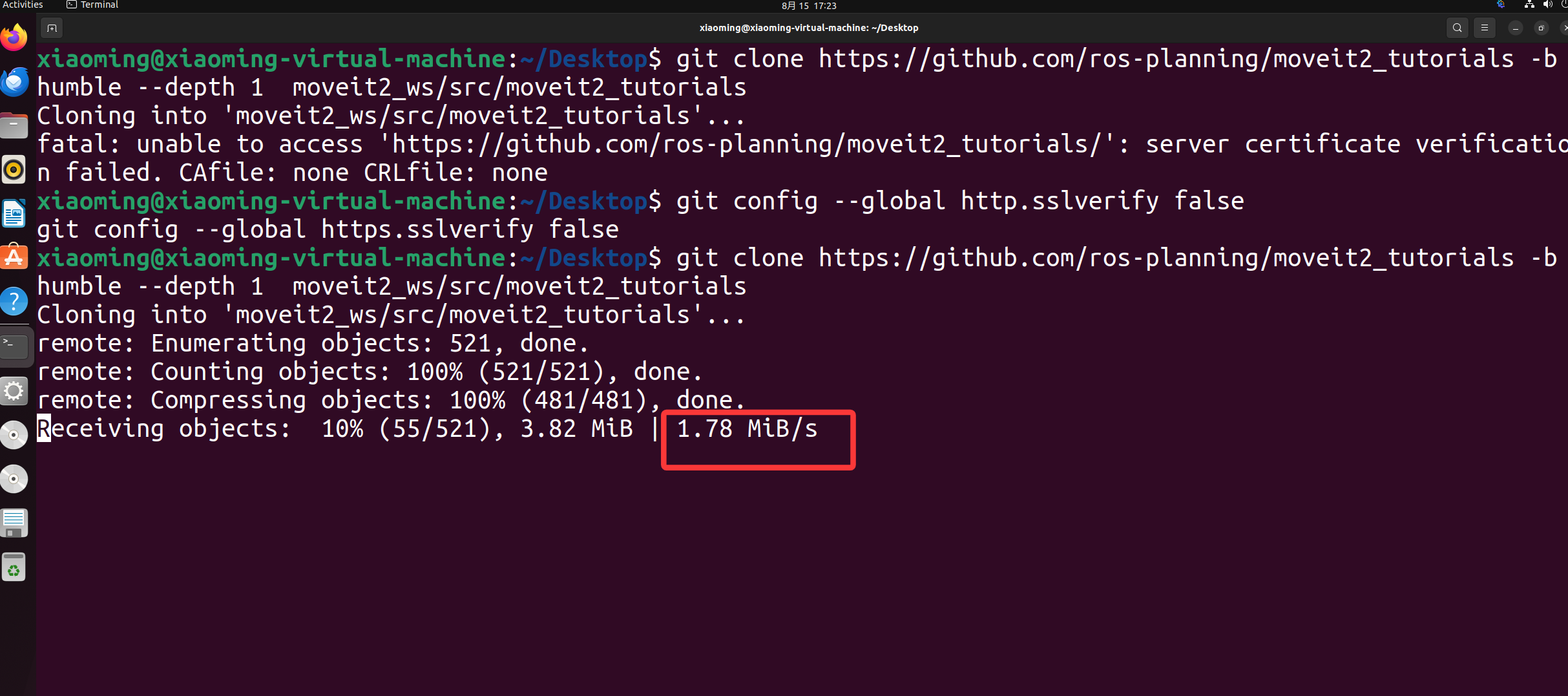
10、克隆仓库测试,会有报错

执行下面这个
git config --global http.sslverify false
git config --global https.sslverify false
这个时候就可以发现速度快的多了。

11、安装vcs
sudo apt install python3-vcstool
克隆文件
git clone https://github.com/ros-planning/moveit2_tutorials -b humble --depth 1 moveit2_ws/src/moveit2_tutorials
12、进入src目录,执行下面的命令
vcs import < moveit2_tutorials/moveit2_tutorials.repos
13、更新软件相关的东西
sudo pip3 install rosdepc

sudo rosdepc init

rosdepc update

############如果清华的失效了,可以用北京外国语大学的########################
#手动模拟rosdep init
mkdir -p /etc/ros/rosdep/sources.list.d/
curl -o /etc/ros/rosdep/sources.list.d/20-default.list -L https://mirrors.bfsu.edu.cn/github-raw/ros/rosdistro/master/rosdep/sources.list.d/20-default.list

# 为 rosdep update 换源
export ROSDISTRO_INDEX_URL=https://mirrors.bfsu.edu.cn/rosdistro/index-v4.yaml
rosdep update

#写入环境变量里面
echo 'export ROSDISTRO_INDEX_URL=https://mirrors.bfsu.edu.cn/rosdistro/index-v4.yaml' >> ~/.bashrc
source ~/.bashrc
14、安装依赖
cd moveit2_ws/
rosdepc install --from-path src --ignore-src -r -y

#卸载二进制安装
sudo apt autoremove ros-humble-moveit*

15、开始编译
colcon build --cmake-args -DCMAKE_BUILD_TYPE=Release

#假如编译失败
sudo apt autoremove ros-humble-moveit*
sudo apt install ros-humble-moveit*
~过程截图


16、编译成功

17、打开demo测试
cd moveit2_ws/
source install/setup.bash
ros2 launch moveit_resources_panda_moveit_config demo.launch.py

如果鱼香脚本失败,修改hosts地址

sudo gedit /etc/hosts

199.232.28.133 raw.githubusercontent.com
151.101.228.133 raw.github.com更多推荐


 4
4 0
0- 0


 已为社区贡献4条内容

所有评论(0)