
下载网页中加载的图片资源,开发者工具中Network网页资源下载
·
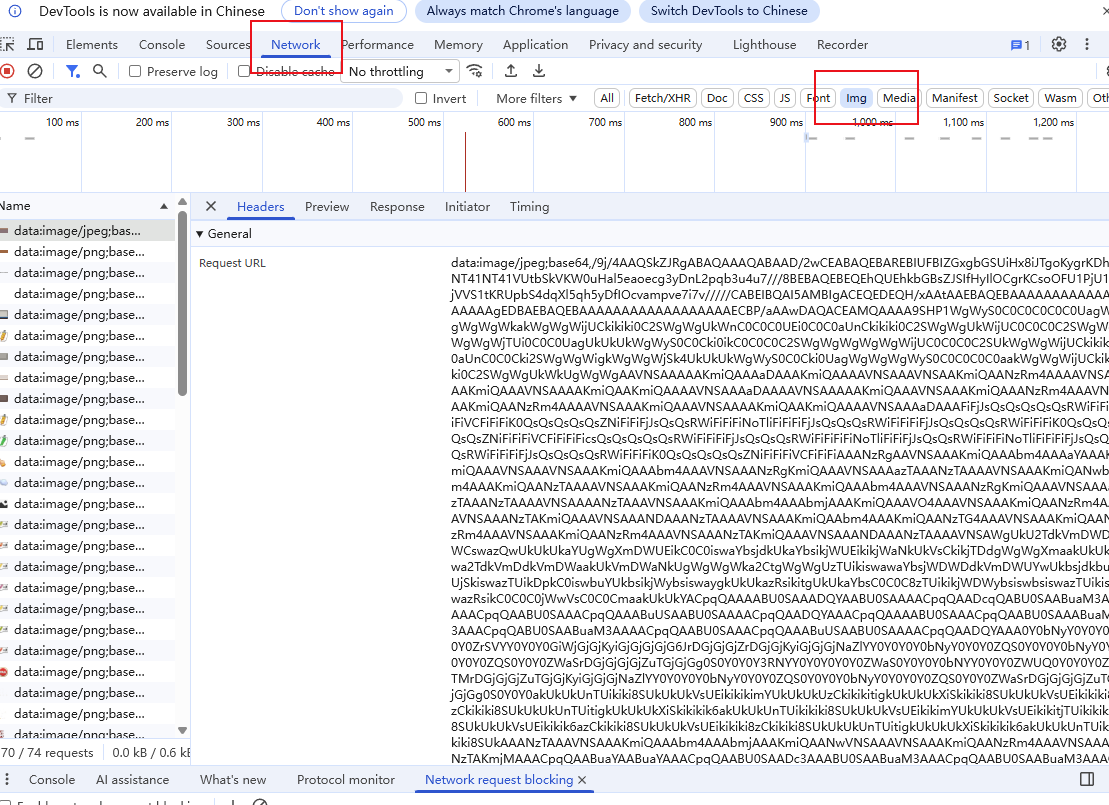
这里主要说明的是下载图片,在开发者工具中Network中过滤img,就会筛选出所有图片的base64数据,
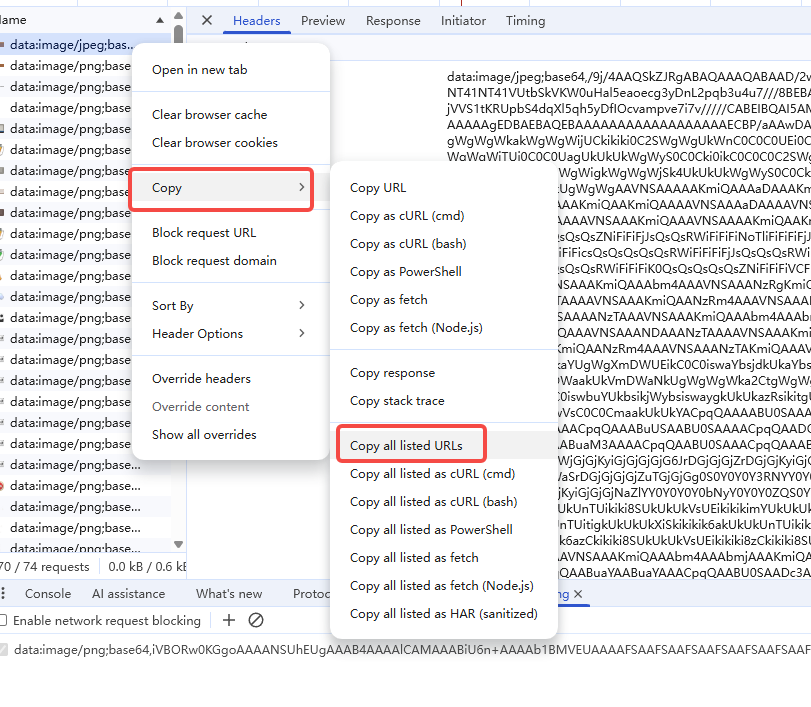
右键任意一个base64数据,可以选择Copy->Copy all listed URLs
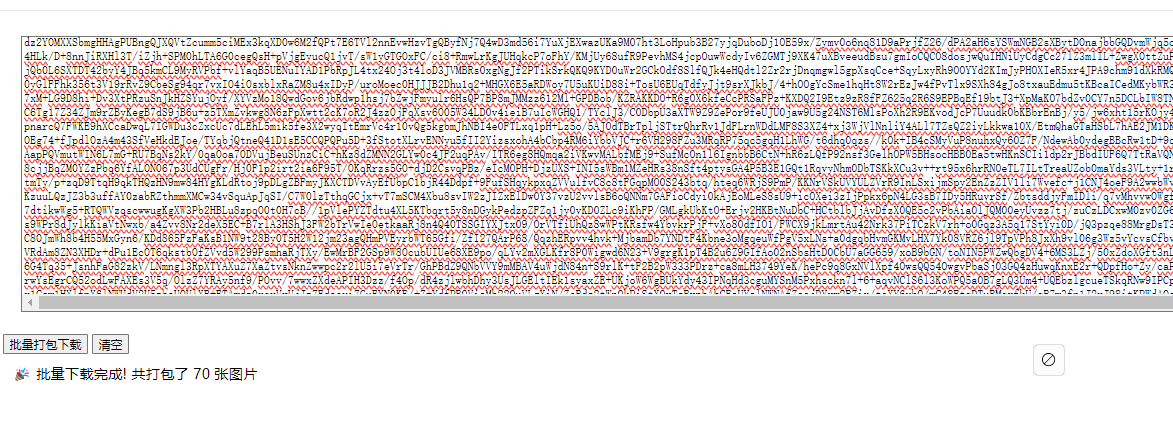
复制到剪切板,然后打开下面代码的html,粘贴进去就可以下载了
<!DOCTYPE html>
<html>
<head>
    <title>Base64图片批量下载器</title>
    <script src="https://cdnjs.cloudflare.com/ajax/libs/jszip/3.10.1/jszip.min.js"></script>
</head>
<body>
    <textarea id="base64Input" placeholder="在这里粘贴所有base64 URLs..." style="width: 90%; height: 300px; margin: 20px;"></textarea>
    <br>
    <button onclick="batchDownload()">批量打包下载</button>
    <button onclick="clearInput()">清空</button>
    <div id="status" style="margin: 10px;"></div>

    <script>
    async function batchDownload() {
        const input = document.getElementById('base64Input').value;
        if (!input) {
            alert('请先粘贴base64数据!');
            return;
        }

        const status = document.getElementById('status');
        status.innerHTML = '正在处理...';

        const lines = input.split('\n').filter(line => line.trim());
        const zip = new JSZip();
        let processedCount = 0;
        let validCount = 0;

        for (let i = 0; i < lines.length; i++) {
            const line = lines[i].trim();
            if (line.startsWith('data:image/')) {
                try {
                    const match = line.match(/data:image\/(\w+);base64,(.+)/);
                    if (match) {
                        const format = match[1];
                        const base64Data = match[2];

                        // 将base64转换为blob
                        const binaryString = atob(base64Data);
                        const bytes = new Uint8Array(binaryString.length);
                        for (let j = 0; j < binaryString.length; j++) {
                            bytes[j] = binaryString.charCodeAt(j);
                        }

                        const filename = `image_${i + 1}.${format}`;
                        zip.file(filename, bytes);
                        validCount++;
                    }
                } catch (error) {
                    console.error(`处理第 ${i + 1} 个图片失败:`, error);
                }
            }
            processedCount++;

            // 更新进度
            status.innerHTML = `已处理 ${processedCount}/${lines.length} 个,有效图片: ${validCount} 个`;
        }

        if (validCount === 0) {
            status.innerHTML = '没有找到有效的base64图片数据';
            return;
        }

        // 生成ZIP文件
        status.innerHTML = '正在生成ZIP文件...';
        const content = await zip.generateAsync({type: "blob"});

        // 下载ZIP文件
        const link = document.createElement('a');
        link.href = URL.createObjectURL(content);
        link.download = `base64_images_${new Date().getTime()}.zip`;
        document.body.appendChild(link);
        link.click();
        document.body.removeChild(link);

        status.innerHTML = `🎉 批量下载完成! 共打包了 ${validCount} 张图片`;
    }

    function clearInput() {
        document.getElementById('base64Input').value = '';
        document.getElementById('status').innerHTML = '';
    }
    </script>
</body>
</html>
更多推荐



 1
1 0
0- 0


 已为社区贡献1条内容

所有评论(0)