
解决HBuilderX无法启动微信开发者工具来预览uni-app项目 - [微信小程序开发者工具] × initialize - [error] 工具的服务端口已关闭。
报错
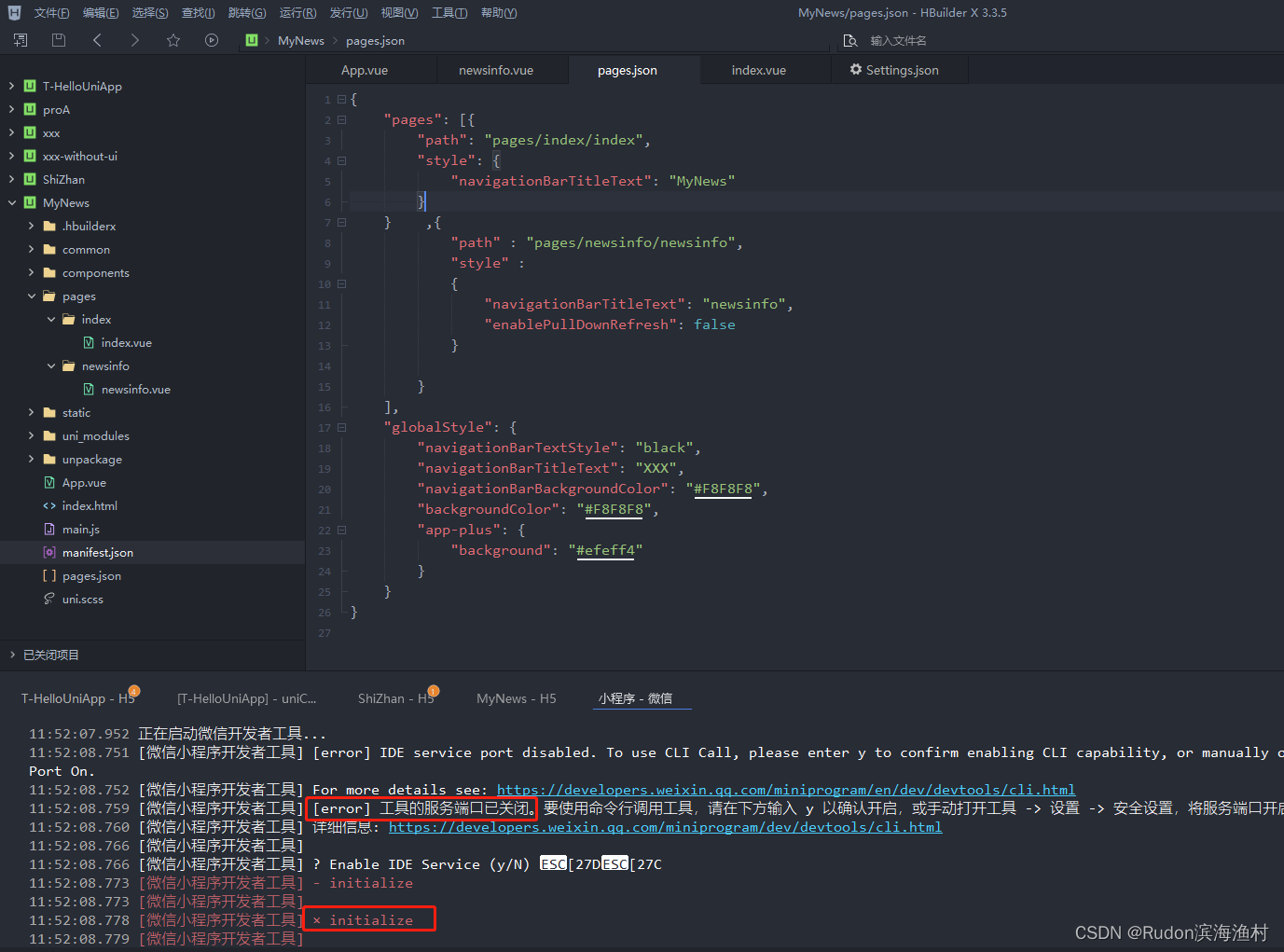
11:51:59.426 正在编译中...
11:52:07.939 DONE Build complete. Watching for changes...
11:52:07.940 项目 'MyNews' 编译成功。前端运行日志,请另行在小程序开发工具的控制台查看。
11:52:07.952 正在启动微信开发者工具...
11:52:08.751 [微信小程序开发者工具] [error] IDE service port disabled. To use CLI Call, please enter y to confirm enabling CLI capability, or manually open IDE -> Settings -> Security Settings, and set Service Port On.
11:52:08.752 [微信小程序开发者工具] For more details see: https://developers.weixin.qq.com/miniprogram/en/dev/devtools/cli.html
11:52:08.759 [微信小程序开发者工具] [error] 工具的服务端口已关闭。要使用命令行调用工具,请在下方输入 y 以确认开启,或手动打开工具 -> 设置 -> 安全设置,将服务端口开启。
11:52:08.760 [微信小程序开发者工具] 详细信息: https://developers.weixin.qq.com/miniprogram/dev/devtools/cli.html
11:52:08.766 [微信小程序开发者工具]
11:52:08.766 [微信小程序开发者工具] ? Enable IDE Service (y/N) [27D[27C
11:52:08.773 [微信小程序开发者工具] - initialize
11:52:08.773 [微信小程序开发者工具]
11:52:08.778 [微信小程序开发者工具] × initialize
11:52:08.779 [微信小程序开发者工具]
11:52:08.784 [微信小程序开发者工具]
解决步骤
- 【路径】在HBuilderX中设置好 微信开发者工具的路径。
HBuilderX > 工具 > 设置 > 运行配置 > 微信开发者路径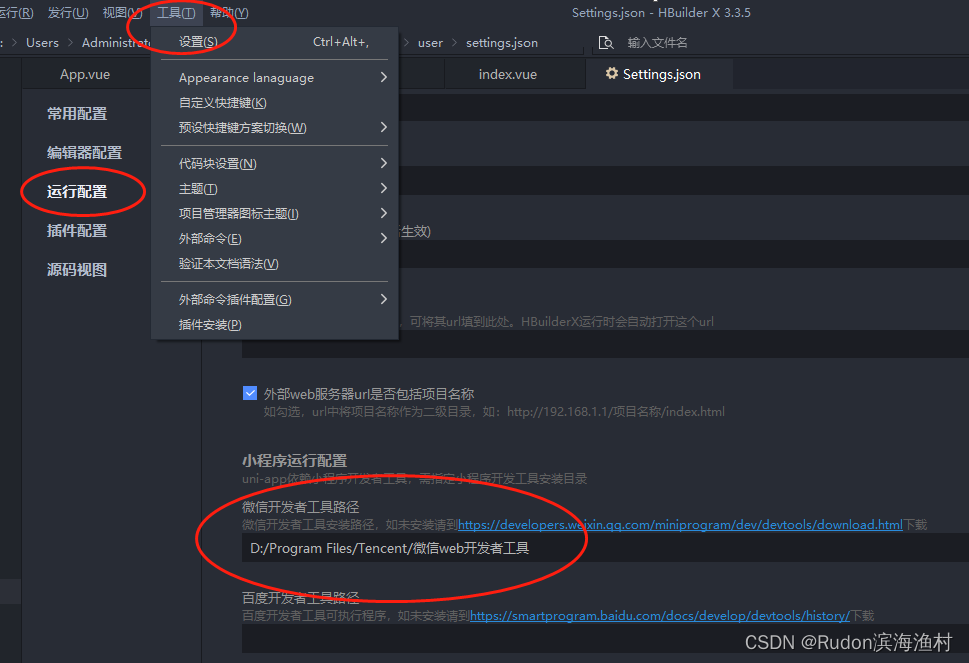
- 【对外端口开启】打开微信开发者工具,设置,安全,服务端口 开启
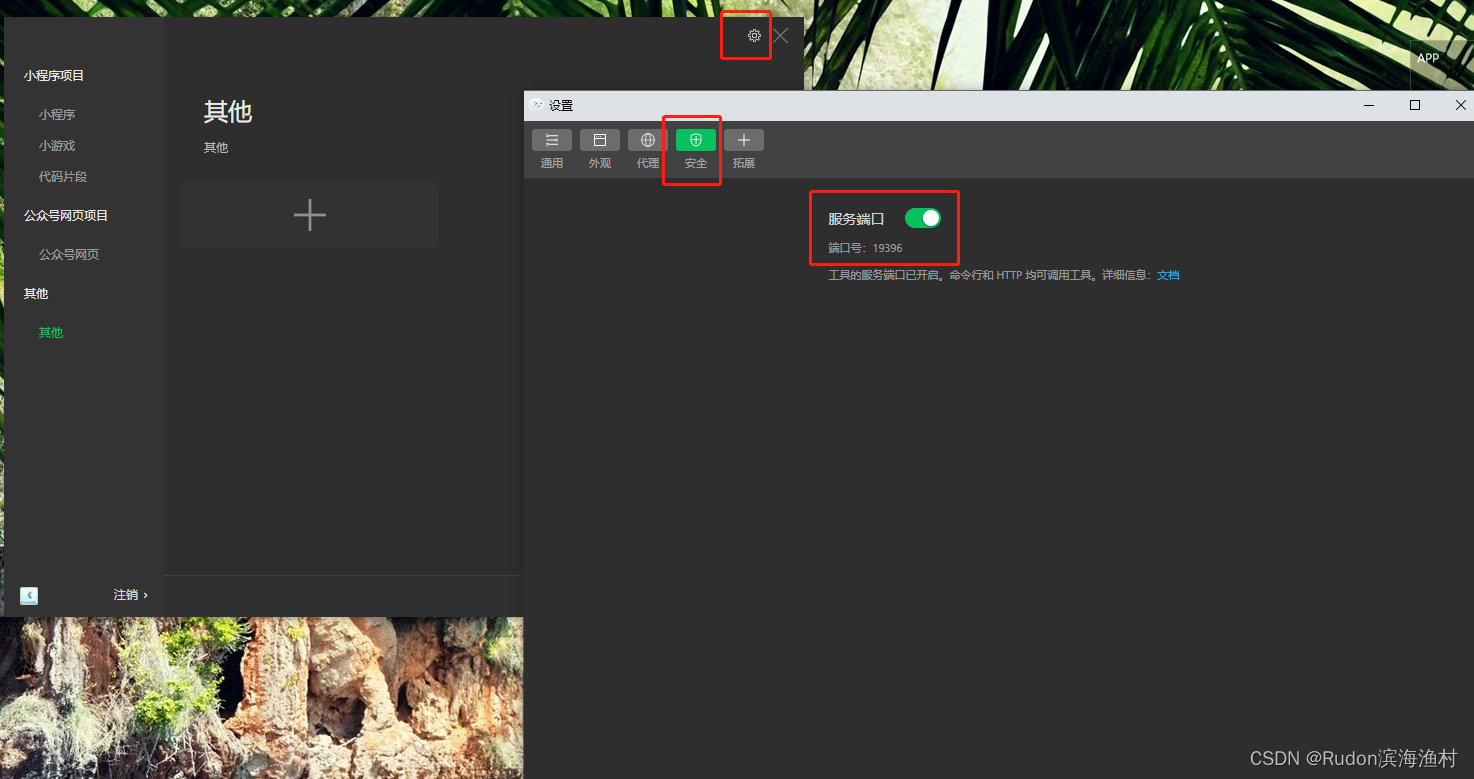
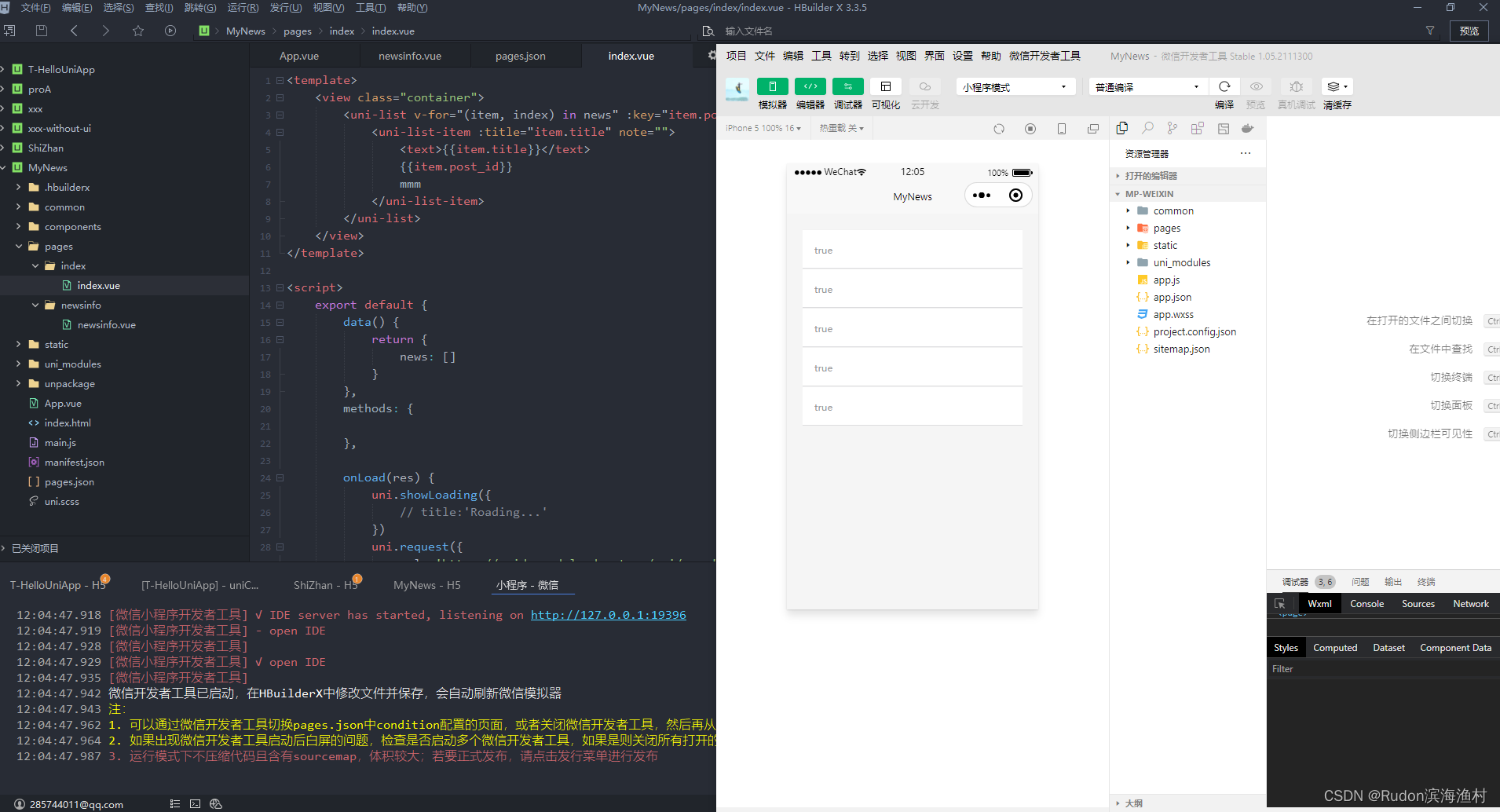
- ok!重新在HBuilder中运行项目在 微信小程序中
更多推荐

 10
10 0
0- 0


 已为社区贡献2条内容

所有评论(0)