
c#调用ocr识别数字
·
公司最近安排我做一个收银系统的插件,我要根据照片去识别别人系统的金额,老板太抠,又不想出钱调取百度的api,让我们自己摸索,经过一条的捣鼓还真让我给捣鼓出来了,现在把项目分享给大家
我们先看一下具体的演示的过程
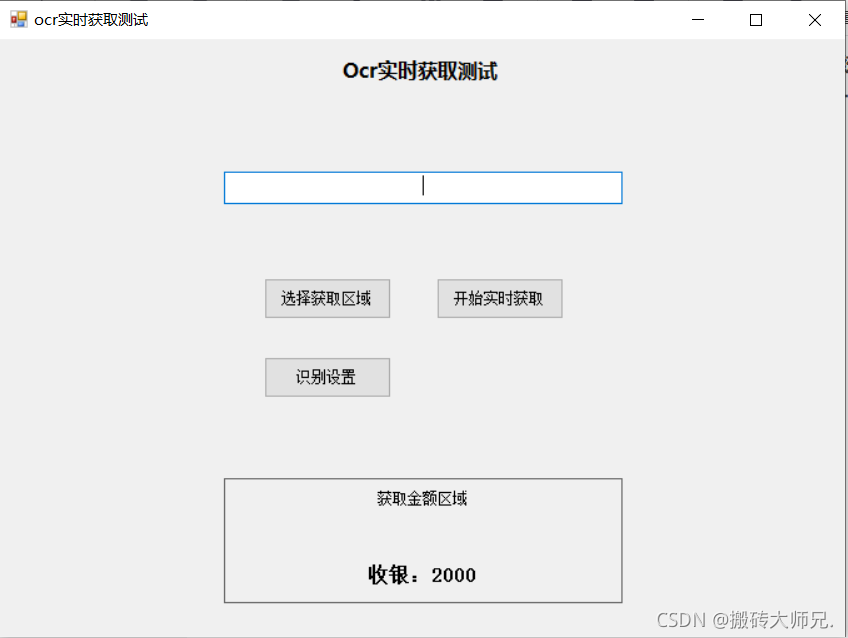
运行软件:
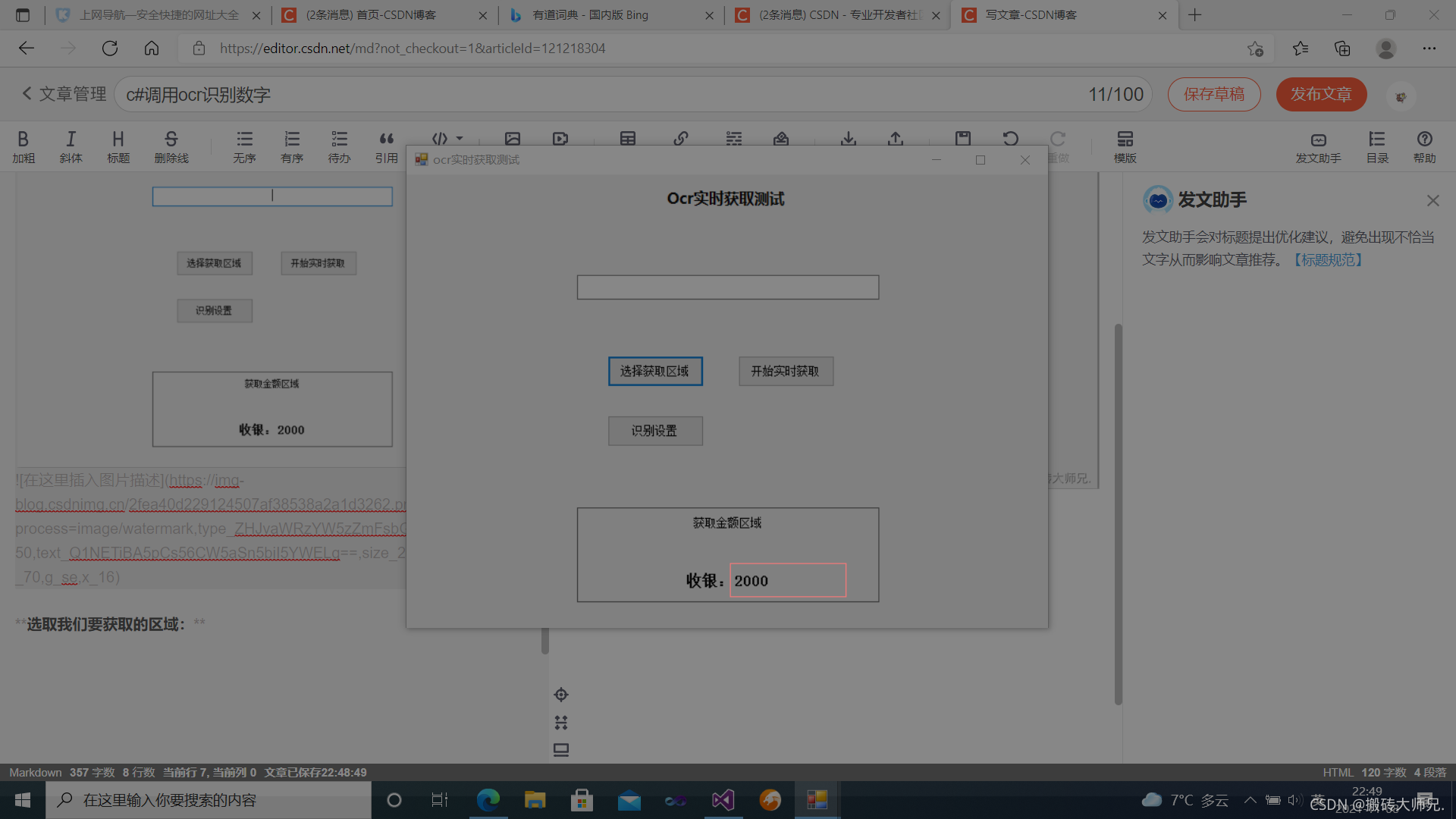
选取我们要获取的区域:红色框即为我们要获取的区域
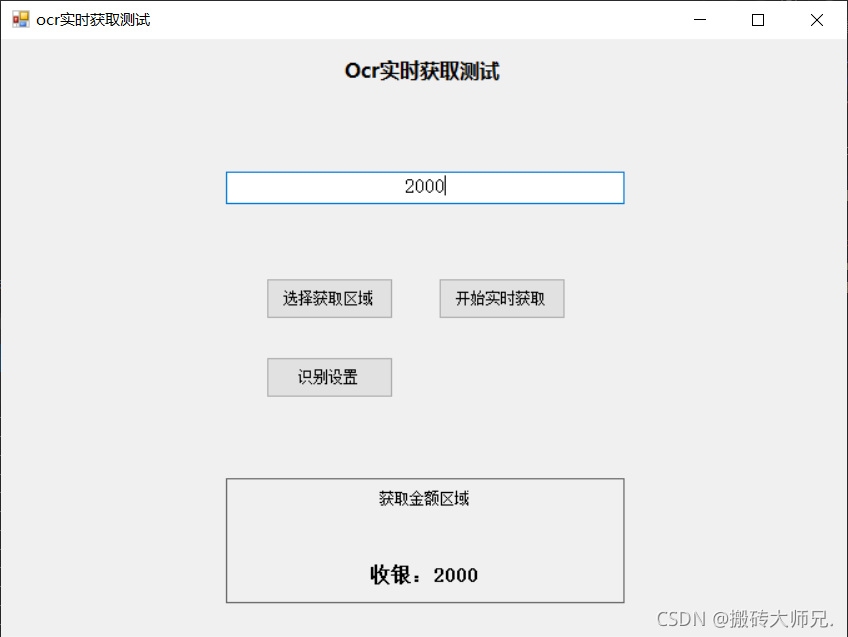
点击开始获取就可以识别我们的数字了:
项目的主要动态库为项目下面的三个动态库文件

具体调用函数如下:
using System;
using System.Collections.Generic;
using System.Text;
using System.Runtime.InteropServices;
using System.Text.RegularExpressions;

namespace OcrAcquireDemo
{
    public class OcrHelpher
    {
        [DllImport("AspriseOCR.dll", EntryPoint = "OCR", CallingConvention = CallingConvention.Cdecl)]
        public static extern IntPtr OCR(string file, int type);
        [DllImport("AspriseOCR.dll", EntryPoint = "OCRpart", CallingConvention = CallingConvention.Cdecl)]
        static extern IntPtr OCRpart(string file, int type, int startX, int startY, int width, int height);
        [DllImport("AspriseOCR.dll", EntryPoint = "OCRBarCodes", CallingConvention = CallingConvention.Cdecl)]
        static extern IntPtr OCRBarCodes(string file, int type);
        [DllImport("AspriseOCR.dll", EntryPoint = "OCRpartBarCodes", CallingConvention = CallingConvention.Cdecl)]
        static extern IntPtr OCRpartBarCodes(string file, int type, int startX, int startY, int width, int height);

        public static string ImageToString(string imagePath, int width, int height)
        {
            try
            {
                return Marshal.PtrToStringAnsi(OCRpart(imagePath, -1, 0, 0, width, height));
            }
            catch (Exception ex)
            {
                Console.WriteLine("ocr图像识别出现异常:" + ex.Message.ToString());
                return "";
            }

        }
}
为了便于大家理解我们项目demo分享给大家,欢迎感兴趣的朋友可以看一看
链接:https://pan.baidu.com/s/1-VLMauOV_ES72mv6rKoZdQ
提取码:hhk7
--来自百度网盘超级会员V3的分享
var foo = 'bar';
更多推荐


 5
5 0
0- 0


 已为社区贡献1条内容

所有评论(0)