
深入浅出:基于 React 19 + Vite 7 的高性能开发者工具箱架构实现
·
在现代前端开发中,如何构建一个类似 IDE 的复杂工作区环境?本文将剖析开源项目 UTF-8.DEV 的核心架构,探讨如何利用 React 19 的新特性、Vite 7 的构建优势以及原生 CSS 变量,打造一个支持多标签、深浅主题切换、且 100% 离线运行的开发者工具箱。
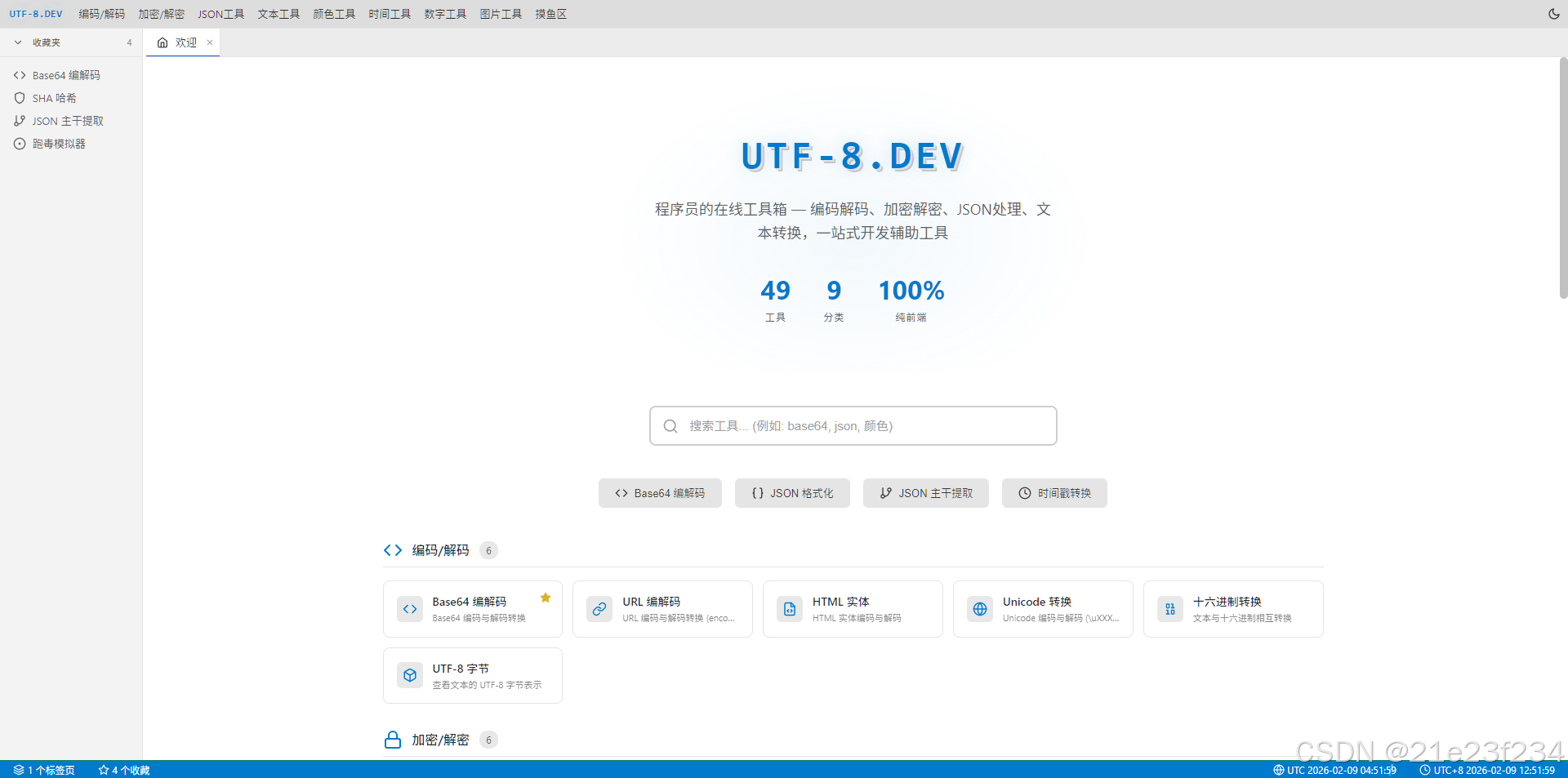
研究访问:浏览器 https://UTF-8.DEV
1. 核心架构设计
项目采用典型的“壳-插件”架构。外壳(App Shell)负责布局、状态管理和标签页调度;插件(Tools)则是独立的业务组件。
技术栈:
- 视图层:React 19 (利用高效的并发渲染)
- 构建层:Vite 7 (极致的热更新体验)
- 状态层:React Context +
useReducer(无 Redux/Zustand 依赖) - 持久化:原生 LocalStorage
2. 状态管理:模拟 IDE 标签页系统

为了实现类似 VS Code 的标签页体验,我们定义了复杂的 AppState。最关键的部分是处理标签页的开启、关闭以及活跃状态切换。
// src/config/state.ts - 核心状态定义
export interface Tab {
    id: string;      // 唯一的标签页实例 ID
    toolId: string;  // 对应的工具 ID
    title: string;
    icon: string;
    isWelcome?: boolean;
}

export interface AppState {
    theme: 'dark' | 'light';
    tabs: Tab[];
    activeTabId: string | null;
    favorites: string[];
    sidebarCollapsed: boolean;
}
在 reducer 中,我们处理逻辑极其严密的标签关闭操作。当关闭当前活跃标签时,需要自动激活相邻标签:
// src/context/AppContext.tsx - 标签页关闭逻辑片段
case 'CLOSE_TAB': {
    const tabIndex = state.tabs.findIndex(t => t.id === action.payload);
    const newTabs = state.tabs.filter(t => t.id !== action.payload);

    let newActiveTabId = state.activeTabId;
    if (state.activeTabId === action.payload) {
        if (newTabs.length > 0) {
            // 激活左侧标签,若无则激活第一个
            const newIndex = Math.max(0, tabIndex - 1);
            newActiveTabId = newTabs[newIndex]?.id || null;
        } else {
            newActiveTabId = null;
        }
    }
    return { ...state, tabs: newTabs, activeTabId: newActiveTabId };
}
3. 动态组件渲染机制
为了解决工具过多的首屏加载压力,我们采用了一种注册表模式。外壳根据当前 activeTabId 动态查询对应的组件。
工具注册表定义:
// src/components/tools/index.tsx
import { Base64Tool } from './Base64Tool';
import { JsonFormatTool } from './JsonFormatTool';

// 建立工具 ID 到 React 组件的映射
export const toolRegistry: Record<string, React.FC> = {
    'base64': Base64Tool,
    'json-format': JsonFormatTool,
    'aes': AesTool,
    // ...
};

export function getToolComponent(toolId: string): React.FC | null {
    return toolRegistry[toolId] || null;
}
渲染调度中心:
// src/components/EditorContent.tsx
export function EditorContent() {
    const { state } = useApp();
    const activeTab = state.tabs.find(t => t.id === state.activeTabId);

    if (!activeTab) return <WelcomePage />;

    // 动态获取组件
    const ToolComponent = getToolComponent(activeTab.toolId);

    return (
        <div className="editor-content">
            {ToolComponent ? <ToolComponent /> : <NotFound />}
        </div>
    );
}
4. 高性能主题引擎:原生 CSS 变量方案
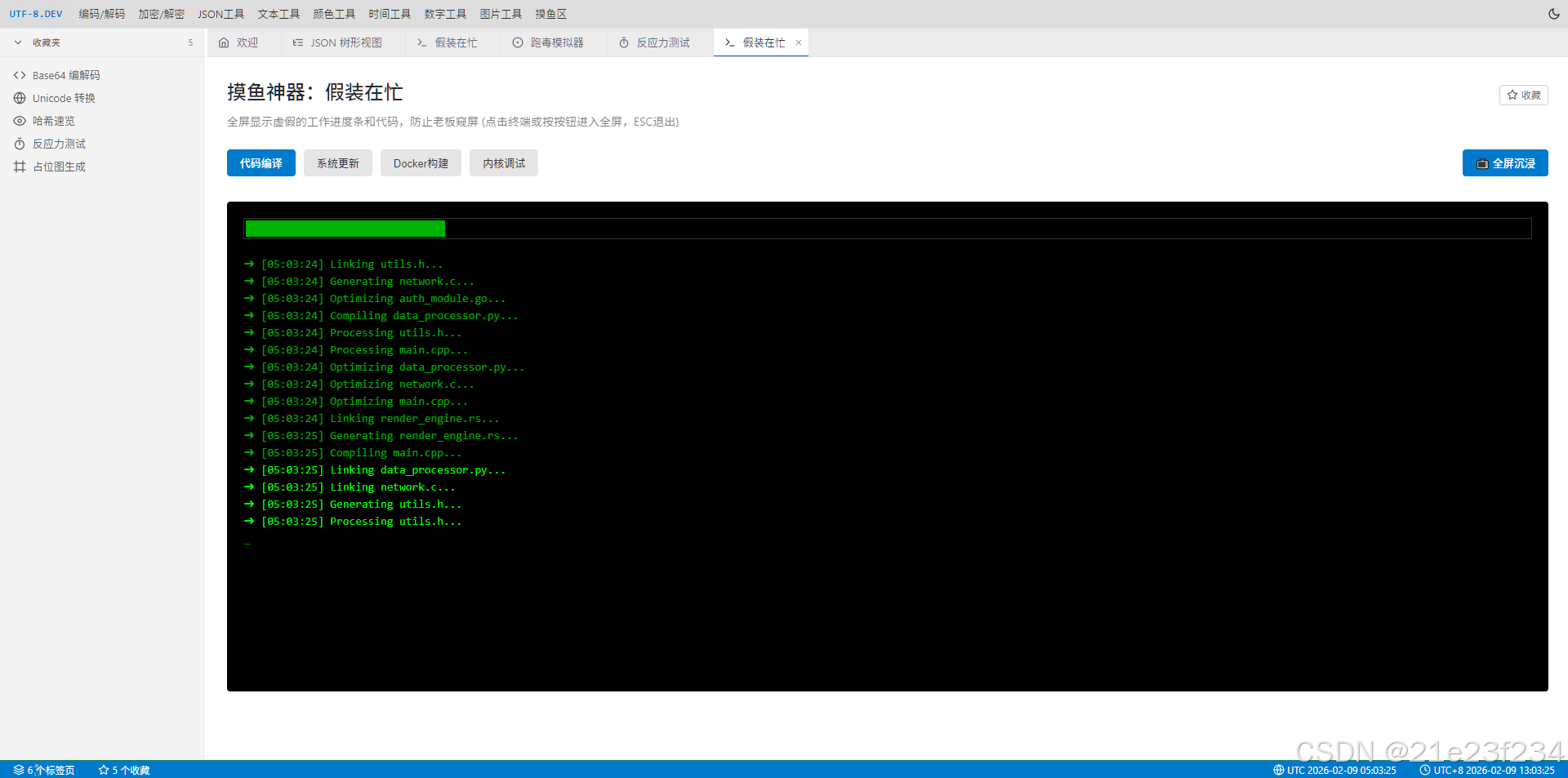
为了实现“丝滑”的主题切换且不引起界面闪烁或大量重绘,我们完全放弃了 CSS-in-JS,转而使用 CSS Variables。
/* src/styles/themes.css */
:root {
  --transition-normal: 0.25s ease;
}

[data-theme="dark"] {
  --editor-bg: #1e1e1e;
  --editor-fg: #abb2bf;
  --sidebar-bg: #21252b;
  --accent-color: #528bff;
}

[data-theme="light"] {
  --editor-bg: #ffffff;
  --editor-fg: #24292e;
  --sidebar-bg: #f3f3f3;
  --accent-color: #007acc;
}
在 React 中切换主题只需一行代码,利用浏览器原生能力完成渲染:
useEffect(() => {
    document.documentElement.setAttribute('data-theme', state.theme);
}, [state.theme]);
5. 纯前端离线计算:以 Base64 为例
为了绝对的安全隐私,项目拒绝任何后端 API 交互。所有计算(如加密、编解码)均在客户端完成。
// src/components/tools/Base64Tool.tsx - 实现片段
import React, { useState } from 'react';

export const Base64Tool = () => {
    const [input, setInput] = useState('');

    // 使用浏览器原生 API 或轻量库进行计算
    const encode = () => {
        try {
            return btoa(unescape(encodeURIComponent(input)));
        } catch (e) {
            return 'Error: Invalid Input';
        }
    };

    return (
        <div className="tool-container">
            <textarea
                className="input-field"
                value={input}
                onChange={e => setInput(e.target.value)}
            />
            <div className="output-area">{encode()}</div>
        </div>
    );
};
6. 工程化实践:Vite 7 优化建议
在 Vite 7 中,我们通过 manualChunks 优化了打包策略,将工具组件进行合理拆分,确保首屏加载体积极小。
// vite.config.ts
export default defineConfig({
  build: {
    rollupOptions: {
      output: {
        manualChunks: {
          'vendor': ['react', 'react-dom'],
          'crypto': ['crypto-js'],
          'json-tools': ['jsondiffpatch', 'jsonpath-plus']
        }
      }
    }
  }
});
总结
构建一个高性能、高颜值的开发者工具箱,核心不在于复杂的库,而在于对状态流、动态加载以及原生浏览器特性的深度运用。UTF-8.DEV 证明了即便没有后端,前端依然可以承载生产力级别的复杂应用。
更多推荐
 4
4 0
0- 0


 已为社区贡献1条内容

所有评论(0)