
【SF顺丰】顺丰开放平台API对接(Java 对接实战)
·
前言
在物流系统开发中,顺丰API的对接是高频需求。本文将带你从零开始,完成从开发者账号注册到Java代码调用的全过程,助你快速打通物流链路。
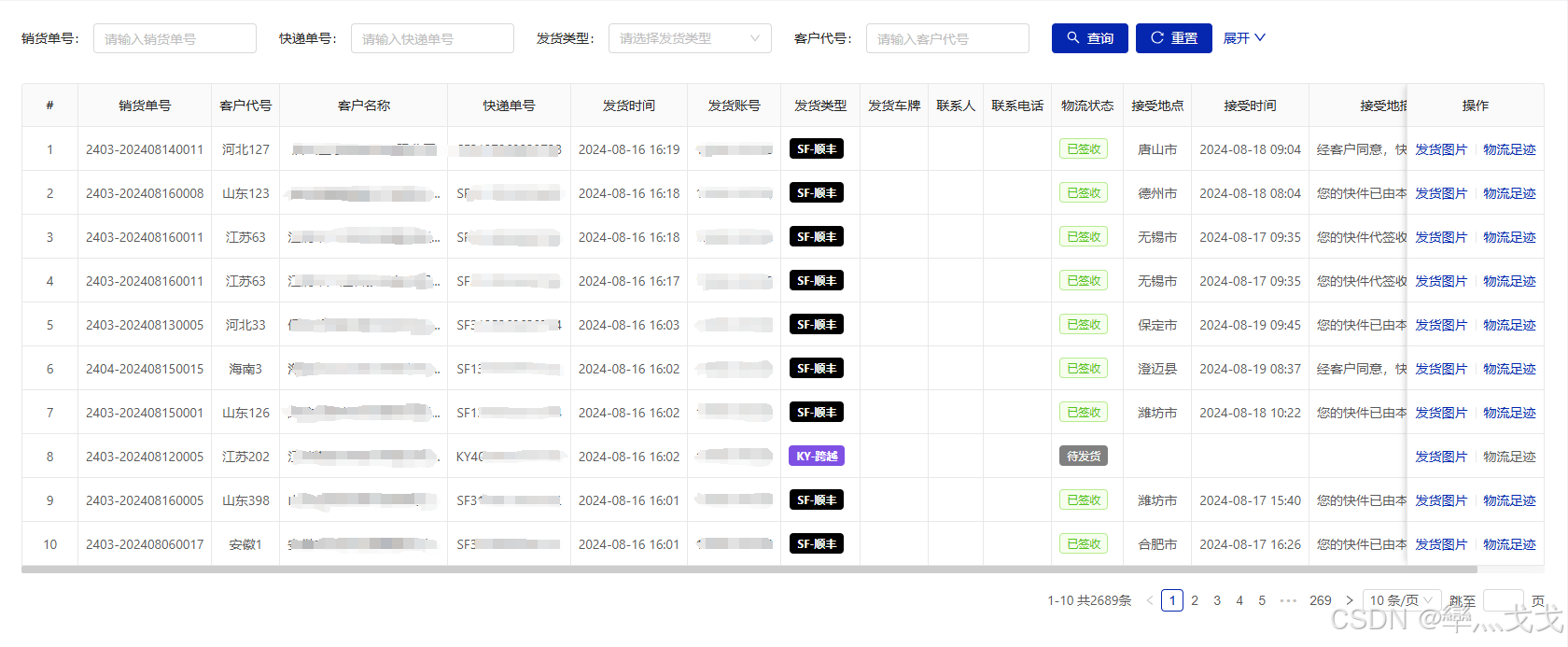
一、 前置准备
1.对接前置篇:
2.下载SDK
在平台下载最新的 SF-CSIM-EXPRESS-SDK JAR包
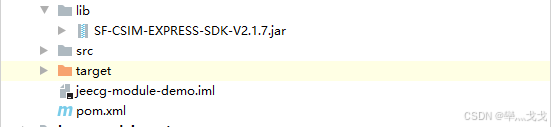
3.将下载的JDK放入项目中。
二、项目依赖配置 (POM.xml)
1.引入本地JAR
由于顺丰SDK通常不提供公共Maven仓库坐标,我们需要手动引入本地JAR。
<!-- 顺丰丰桥 SDK -->
<dependency>
   <groupId>com.sf</groupId>
   <artifactId>SF-CSIM-EXPRESS-SDK</artifactId>
   <version>2.1.7</version>
   <scope>system</scope>
   <systemPath>${project.basedir}/lib/SF-CSIM-EXPRESS-SDK-V2.1.7.jar</systemPath>
</dependency>
2.打包插件关键配置:
注意:必须配置spring-boot-maven-plugin以确保打包时包含系统依赖,否则线上运行会报ClassNotFoundException
<build>
   <plugins>
      <plugin>
         <groupId>org.springframework.boot</groupId>
         <artifactId>spring-boot-maven-plugin</artifactId>
         <configuration>
            <!-- 在打包时将引用的外部jar引入到当前项目包中	-->
            <fork>true</fork>
            <includeSystemScope>true</includeSystemScope>
         </configuration>
      </plugin>
   </plugins>
</build>
三、路由查询实战 (Demo)
以下是一个完整的路由查询示例,包含详细的参数说明和日志输出,方便调试。
public class SFTestDemo {

    private static final String CLIENT_CODE = "替换自己应用的顾客编码";  //顾客编码

    //沙箱环境的地址
    private static final String CALL_URL_BOX = "https://sfapi-sbox.sf-express.com/std/service";//请求接口
    private static final String CHECK_WORD_BOX = "替换自己应用的沙箱校验码";//沙箱校验码

    //生产环境的地址
    private static final String CALL_URL_PROD = "https://sfapi.sf-express.com/std/service";//请求接口
    private static final String CHECK_WORD = "替换自己的应用的生产校验码";//生产校验码


    /**
     * 查询顺丰路由信息
     * <p>
     * 顺丰快递单号
     * 收件人手机号后四位
     *
     * @return
     * @throws UnsupportedEncodingException
     */
    public static void main(String[] args) throws UnsupportedEncodingException {

        IServiceCodeStandard standardService = ExpressServiceCodeEnum.EXP_RECE_SEARCH_ROUTES;//路由查询

        String timeStamp = String.valueOf(System.currentTimeMillis());//时间戳

        CallExpressServiceTools tools = CallExpressServiceTools.getInstance();//数字签名,API文档有说明

        // set common header
        Map<String, String> params = new HashMap<String, String>();

        //封装查询msgData数据
        Map<String, Object> map = new HashMap<>();
        List<String> list = new ArrayList();
        list.add("替换自己顺丰单号");
        map.put("language", "0");
        map.put("trackingType", "1");
        map.put("methodType", "1");
        map.put("trackingNumber", list);
        map.put("checkPhoneNo", "替换快递单手机号后四位");
        String msgData = JSONObject.toJSONString(map);


//        params.put("Content-type", "application/x-www-form-urlencoded");
        params.put("partnerID", CLIENT_CODE);  // 顾客编码
        params.put("requestID", UUID.randomUUID().toString().replace("-", ""));
        params.put("serviceCode", standardService.getCode());// 接口服务码
        params.put("timestamp", timeStamp);
        params.put("msgData", msgData);
        params.put("msgDigest", tools.getMsgDigest(msgData, timeStamp, CHECK_WORD));

        String result = HttpClientUtil.post(CALL_URL_PROD, params);

        System.out.println("===调用地址 ===" + CALL_URL_PROD);
        System.out.println("===顾客编码 ===" + CLIENT_CODE);
        System.out.println("===返回结果:" + result);

    }
}更多推荐


 117
 0
- 0


 已为社区贡献2条内容

所有评论(0)