
使用vlm模型做异常检测
·
首先通过命令行添加图片路径
def parse_args():
    parser = argparse.ArgumentParser(description='Process an image with SmolVLM model')
    parser.add_argument('--image', '-i', type=str, required=True,
                       help='Path to input image file')
    return parser.parse_args()
args = parse_args()
将图片喂给发给smolvlm
image = load_image(args.image)

# Initialize processor and model
processor = AutoProcessor.from_pretrained("HuggingFaceTB/SmolVLM-500M-Instruct")
model = AutoModelForVision2Seq.from_pretrained(
    "HuggingFaceTB/SmolVLM-500M-Instruct",
    torch_dtype=torch.bfloat16,
    _attn_implementation="flash_attention_2" if DEVICE == "cuda" else "eager",
).to(DEVICE)

# Create input messages
messages = [
    {
        "role": "user",
        "content": [
            {"type": "image"},
            {"type": "text", "text": "Please check the road area in the image for pedestrians crossing?,just return true or false"}
        ]
    },
]

# Prepare inputs
prompt = processor.apply_chat_template(messages, add_generation_prompt=True)
inputs = processor(text=prompt, images=[image], return_tensors="pt")
inputs = inputs.to(DEVICE)

# Generate outputs
generated_ids = model.generate(**inputs, max_new_tokens=500)
generated_texts = processor.batch_decode(
    generated_ids,
    skip_special_tokens=True,
)
print(generated_texts[0])
当我们给一个横过马路的图片,他会告诉我们有人横过马路
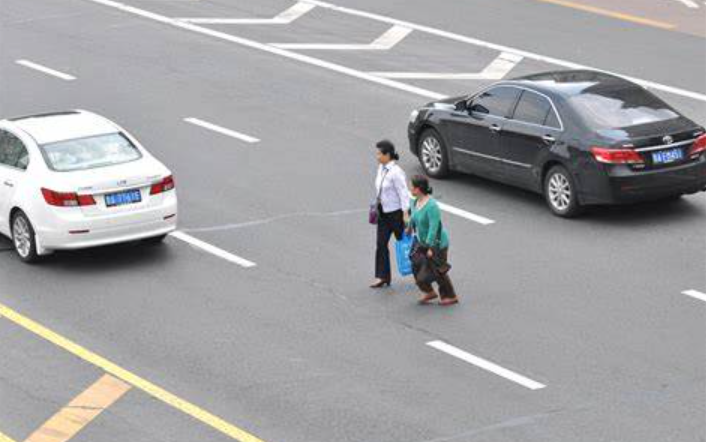
Please check the road area in the image for pedestrians crossing?,just return true or false
Assistant: Yes.
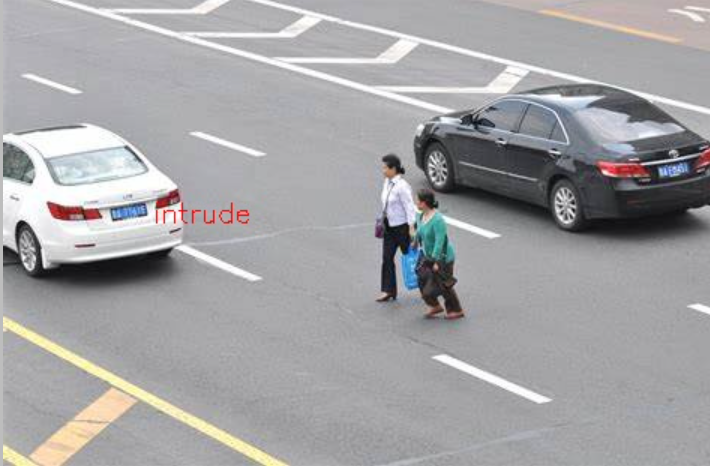
提取他的回答中的yes,如果是yes就在图像中写上入侵
def puttxt(img):
    image = cv2.imread(img)
    cv2.putText(
    img=image,
    org=(100,150),
        fontScale = 0.6,
    text="intrude",
        fontFace= cv2.FONT_HERSHEY_SIMPLEX,
    color=(0,0,255))

    return image
part = generated_texts[0].split("Assistant: ")[-1]
if part=="Yes.":
    out=puttxt(args.image)
    cv2.imwrite("out.jpg",out)
最后就可以实现了,就试了一张,明天再试
更多推荐
 1
1 0
0- 0


 已为社区贡献1条内容

所有评论(0)